Quick Start Guide (5 Min Setup)
This guide outlines the fastest way to set up your Findex account and begin tracking your financial information.
Last updated 3 months ago
Step 1: Create Your Account
Start by heading to the Findex sign-up page. You have two options:
Email & Password — Enter your email, create a password, and verify your account.
BankID — If you're in Sweden, you can sign up instantly using BankID for a seamless login experience.
Once you've created your account, you'll land on your dashboard.
[Image: The Findex sign-up page showing email/password and BankID options]
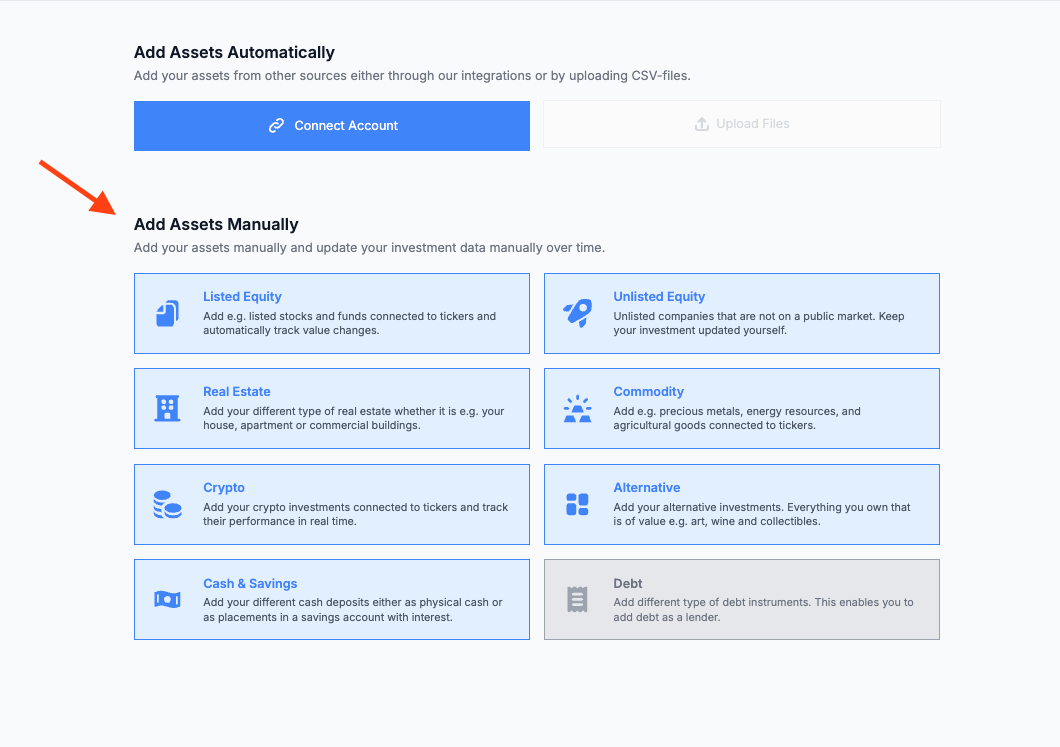
Step 2: Connect a Bank or Add Assets Manually
The fastest way to populate your portfolio is by connecting a bank or brokerage account. Findex supports 50+ providers including Avanza, Nordea, SEB, Swedbank, and many more.
Click the Add Asset button on your dashboard.
Choose Connect Provider to link a bank account automatically.
Select your provider from the list and follow the authentication steps.
Your assets and liabilities will be imported automatically.
Prefer to add things manually? No problem — choose Add Manually instead and select the asset class you want to add (equity, real estate, crypto, and more).
Step 3: Review Your Dashboard
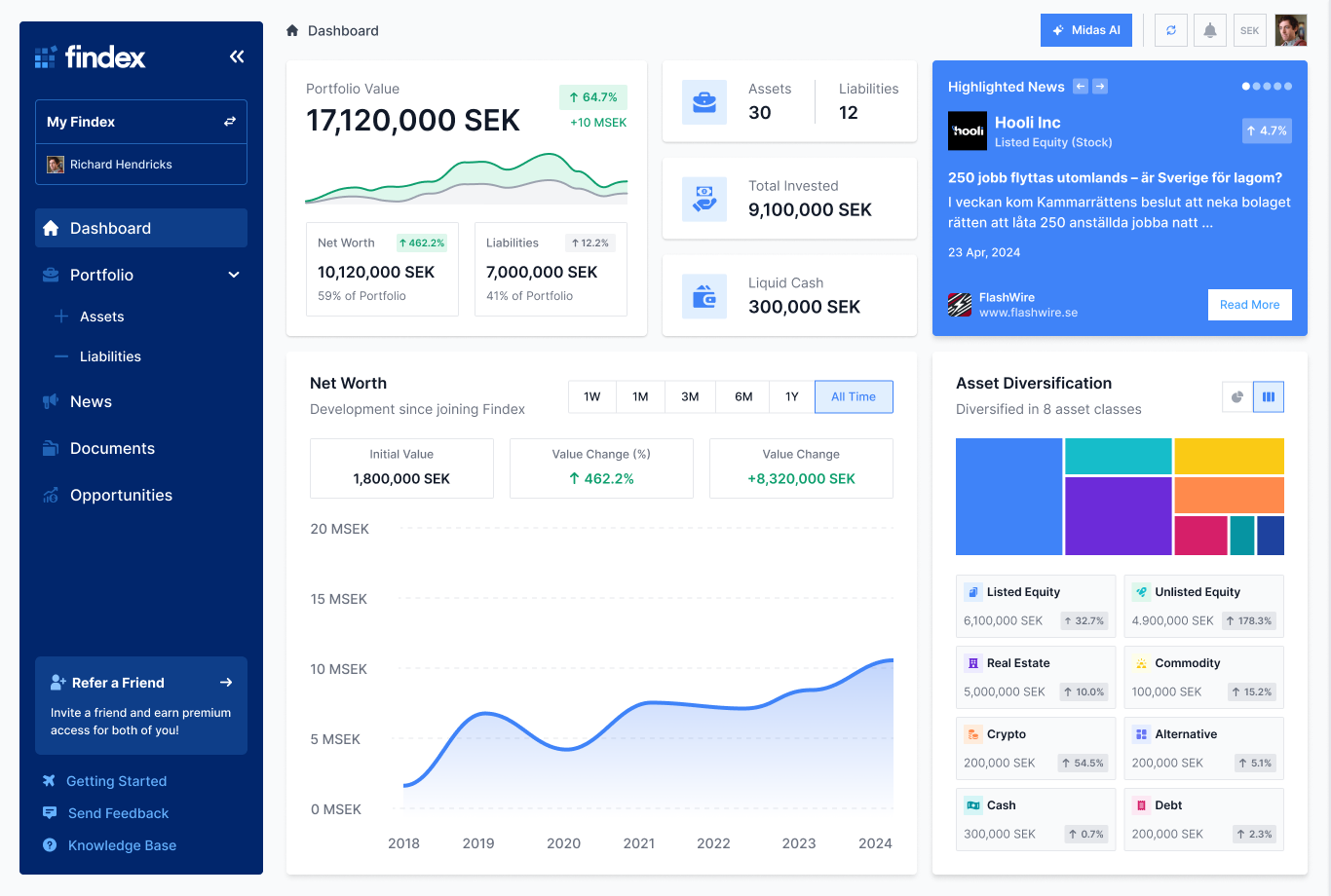
Once your assets are added, your dashboard comes to life. You'll see:
Portfolio Value — Your total portfolio value at a glance.
Net Worth — Assets minus liabilities, with a historical trend graph.
Diversification — A breakdown of your portfolio by asset type.
Quick Stats — Number of assets, total invested, and liquid cash.
Step 4: Explore Your Portfolio
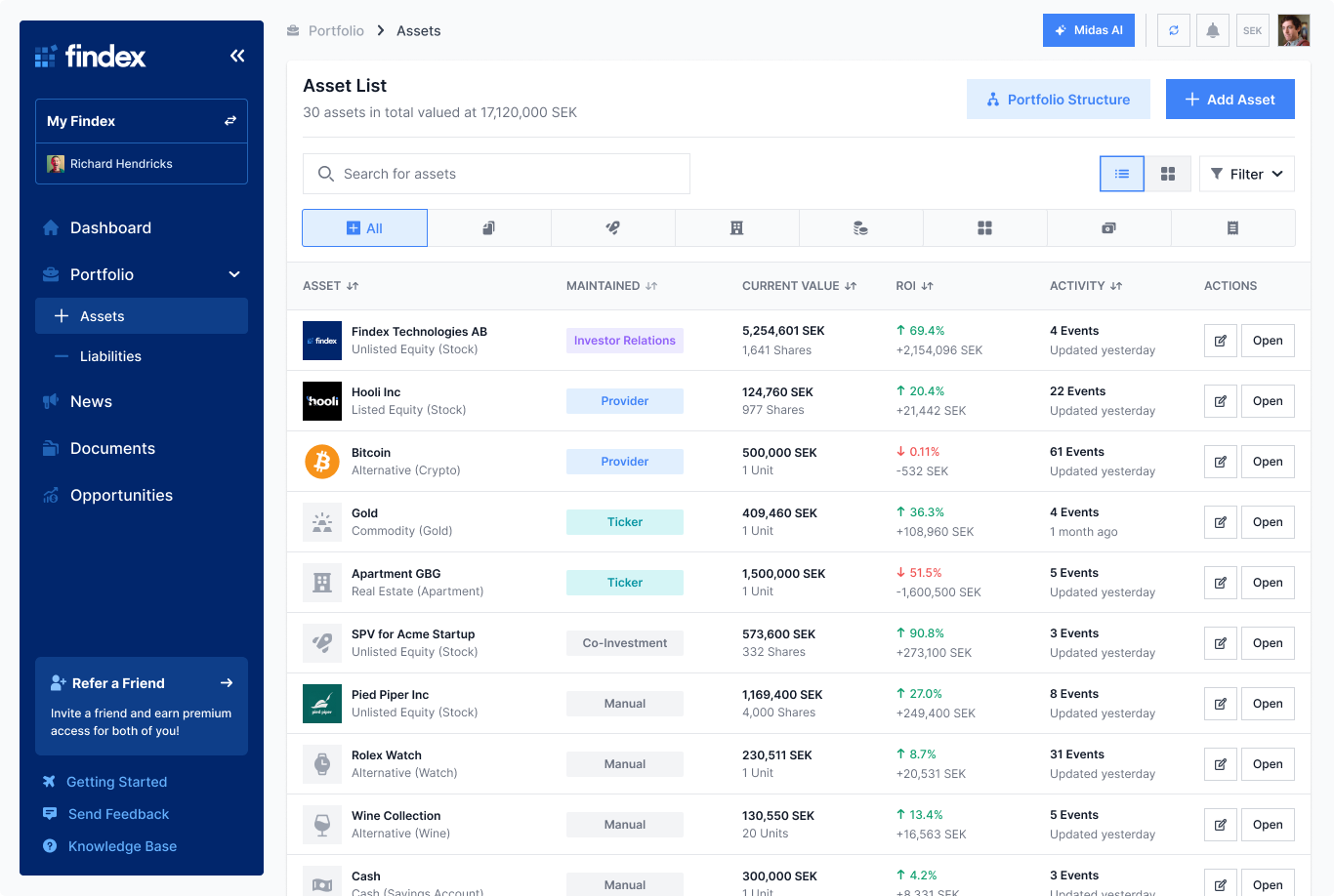
Head to the Portfolio section from the sidebar to see your full list of investments and liabilities.
Investments — View, search, and filter all your assets. Click on any asset to see its detail page with valuation history and documents.
Liabilities — See all your debts, interest rates, and remaining balances.
Step 5: Set Your Preferences
Head to Settings to personalize your experience:
Go to Settings > Profile.
Set your preferred currency (SEK, EUR, USD, GBP, and more). All portfolio values will be converted to this currency.
Update your name and country.
Upload a profile picture if you'd like.
[Image: The Settings > Profile page with currency dropdown and profile fields]
You're All Set!
Your Findex portfolio is ready to go. From here, you can:
Add more assets and liabilities as your portfolio grows
Connect additional bank accounts
Upload important documents
Browse investment opportunities
Check your personalized newsfeed
Need Help?
If you have any questions or run into something unexpected, don't hesitate to reach out. You can contact us at team@findex.se — we're happy to help!