How to Add Liabilities Manually to Portfolio
This guide will walk you through the process of manually adding liabilities to your Findex portfolio. Tracking your liabilities alongside your assets gives you a complete view of your net worth.
Last updated 3 months ago
Getting to the Liability List
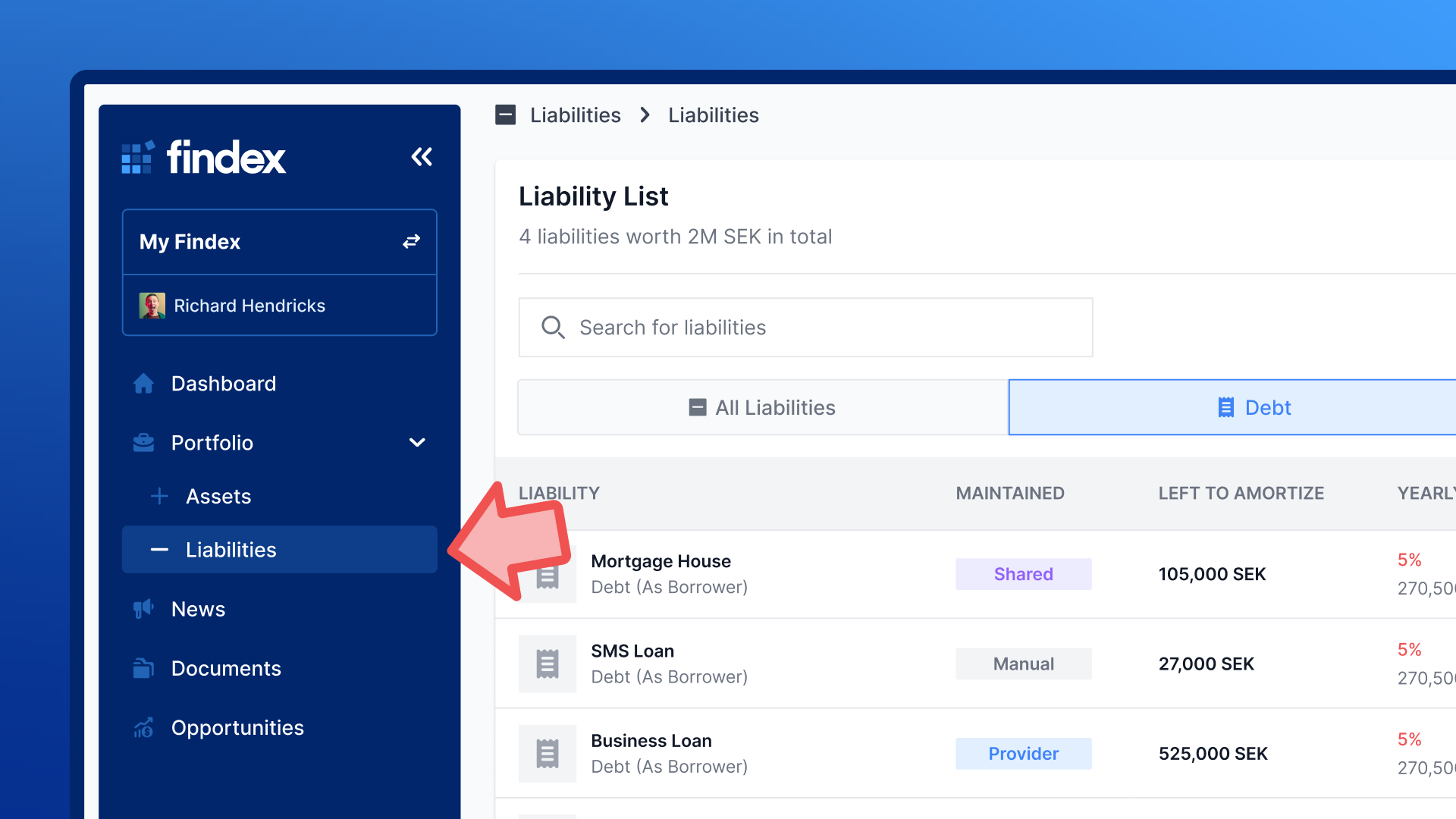
Log in to your Findex account
Navigate to the Portfolio section in the left sidebar
Click on Liabilities to view your current liability list
You'll see a comprehensive view of all your liabilities, including their current values, interest rates, and maturity dates.
Starting the Add Liability Flow
Once you're on the Liability List page:
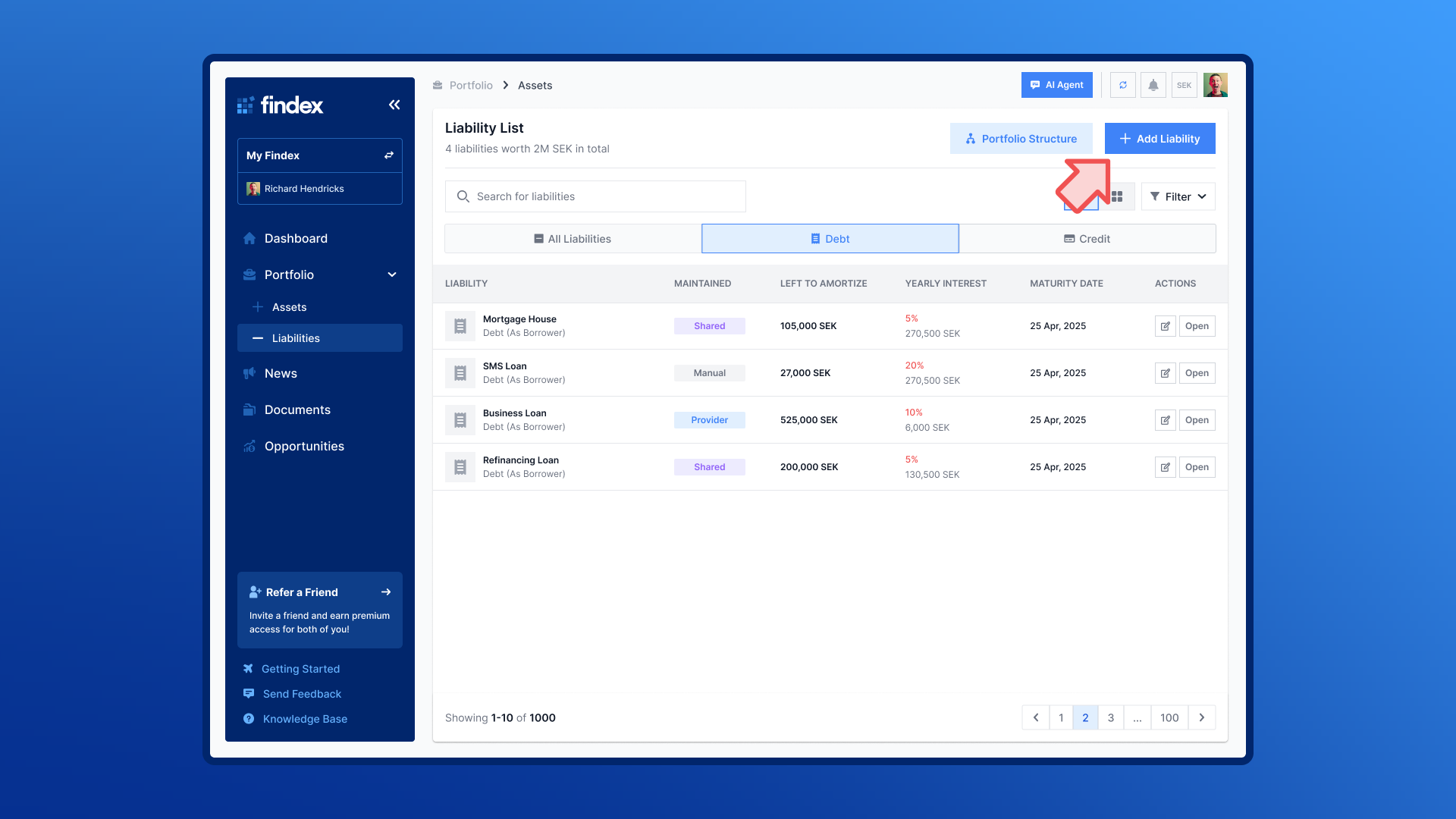
Click the blue "+ Add Liability" button located in the top right corner of the page
A modal window will appear presenting you with two options:
Connect Account - To automatically sync liabilities through integrations or by uploading CSV files
Add Liabilities Manually - To manually add and update liability data over time
For this guide, we'll focus on the manual process.
Choosing Your Liability Type
When adding liabilities manually, Findex offers two main categories:
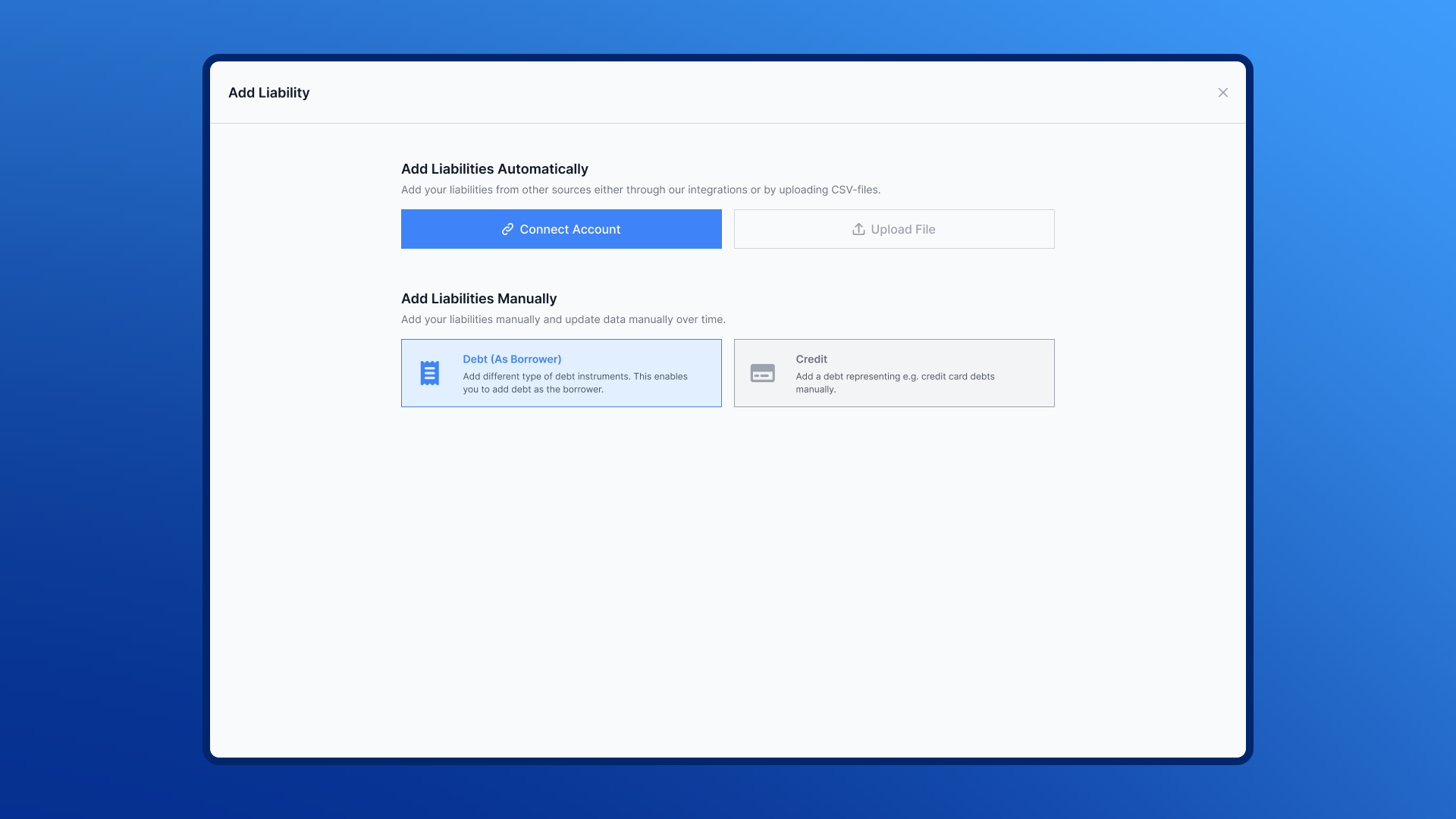
Available Liability Types:
Debt (As Borrower)
Add different types of debt instruments where you are the borrower. This enables you to track what you owe.Credit
Add credit card and other credit lines where you have outstanding balances.
Completing the Liability Information
After selecting your liability type, you'll be guided through a series of steps to enter the details. The exact fields may vary depending on the type, but typically include:
Liability Name — Give your debt a recognizable name (e.g., "Home Mortgage" or "Nordea Car Loan").
Amount — The original loan amount or credit limit.
Quantity — Usually 1, but useful if tracking multiple identical obligations.
Interest Rate — The annual interest rate as a percentage.
Already Amortized — How much you've already paid down.
Issue Date — When the loan was taken out.
Expiry / Maturity Date — When the loan is due to be fully repaid.
Loan Term — The total duration of the loan.
Payment Schedule — How often payments are made (e.g., monthly, quarterly).
[Image: The liability information form with fields for name, amount, interest rate, and dates]
Confirmation
Once you've filled in the details and clicked Save:
Your new liability will appear in the Liabilities list.
It will be marked as a manual liability (as opposed to a provider import).
The liability will be included in your net worth calculation, reducing your total by the remaining debt.
You can click on it anytime to view its detail page, link it to an investment, or update its balance.
[Image: The liabilities list with the newly added manual liability visible]
Tips
You can always edit later — Don't worry about getting everything perfect on the first try. You can update any liability's details at any time.
Use the right type — This ensures your debt breakdown is accurate and the right fields are shown.
Link to an asset — If the liability is tied to an investment (like a mortgage on a property), link them together for a clearer picture of net equity.
Enter your amortization — Keeping the "Already Amortized" field updated ensures your remaining debt calculation stays accurate.
Use the search function to quickly find specific liabilities in your list
Need Help?
If you encounter any issues while adding liabilities, please contact our support team through the help center or visit our FAQ section for additional guidance.